Every screen and setting in the Breath & Plunge app
A full tour of the app: the five session profiles, what each timer screen shows you while you practise, every value you can change, and what the app does with the data afterwards.
Breath & Plunge is a timer and logbook for three practices that are usually tracked with a kitchen timer and a bad memory: breathwork, cold exposure and sauna. It runs entirely on your phone — there is no account, no cloud sync and no server to send anything to.
This page walks through the app exactly as you meet it, screen by screen. If you would rather be told what to press in order, read the step-by-step guide instead.
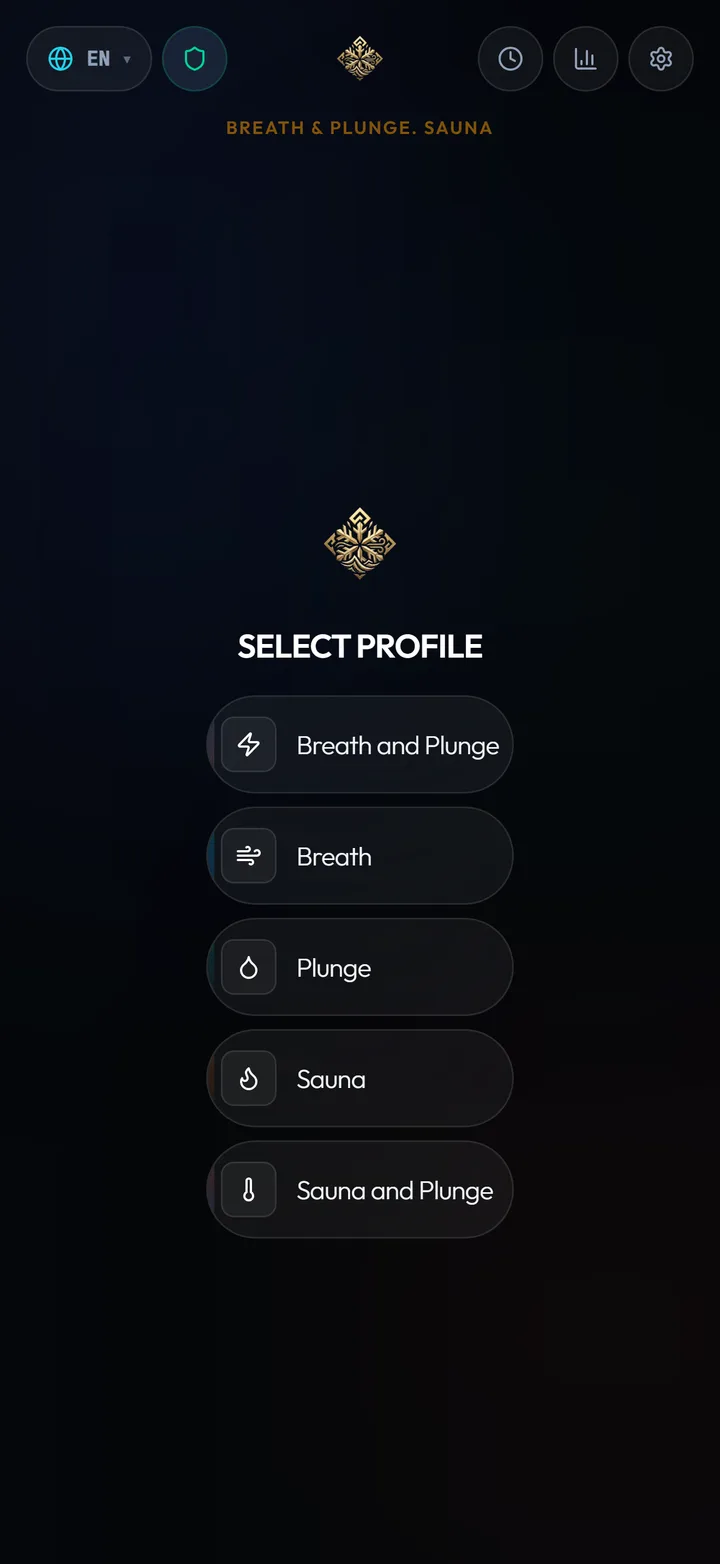
Five session profiles
The home screen is a profile picker, not a dashboard. You choose the shape of the session before anything starts, and the app then only shows you the screens that session actually needs.
Two round buttons sit at the top of this screen: History and Statistics. Everything else — settings, language, theme — lives behind the settings icon.
- Breath
- Breathing rounds on their own: a set number of rounds, a set number of breaths per round, then the retention hold and the recovery breath.
- Plunge
- Cold exposure on its own — an ice bath, a cold shower or open water. Entry timer, elapsed time, water temperature and heart rate.
- Breath and Plunge
- The classic WHM-style pairing: breathing rounds first, then straight into the cold, logged as one session.
- Sauna
- A heat session with a target duration, maximum temperature, and estimated fluid loss and calories.
- Sauna and Plunge
- Contrast therapy — heat followed by cold, both halves timed and stored in a single record.
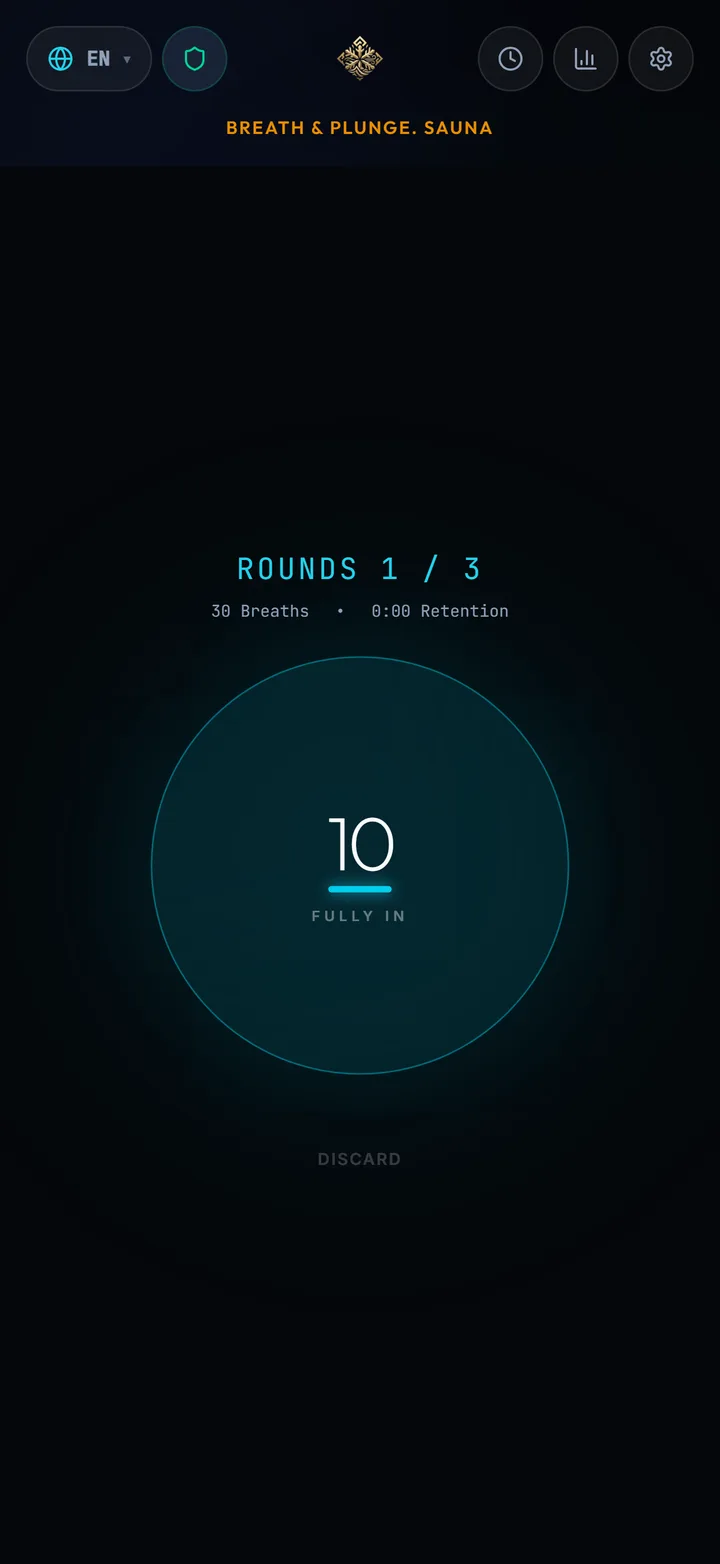
The guided breathing screen
The breathing screen is deliberately almost empty. A single animated shape expands and contracts at your chosen pace, with "Fully IN" and "Let Go" prompts, so you can follow it with your eyes half-closed instead of reading numbers.
Breaths are counted for you. When the round ends the app moves into the retention hold and starts counting up; the recovery breath that follows is timed too, so every round is measured the same way rather than by feel.
The animation comes in two visual styles — Circle or Ring — and the whole screen honours the theme you picked. Sound and vibration cues can each be turned off, which matters if you practise next to someone who is asleep.
- Round counter
- Which round you are in, out of the total you configured.
- Breath counter
- Counts your breaths within the round automatically, at the pace you set.
- Retention
- Counts up during the breath hold, so the number is a result rather than a target.
- Recovery breath
- A separate timed hold after the inhale that closes the round.
- Heart rate & HR Drop
- Live heart rate and how far it fell during the round. The phone has no heart-rate sensor of its own: these come from a linked Garmin watch and stay empty without one.
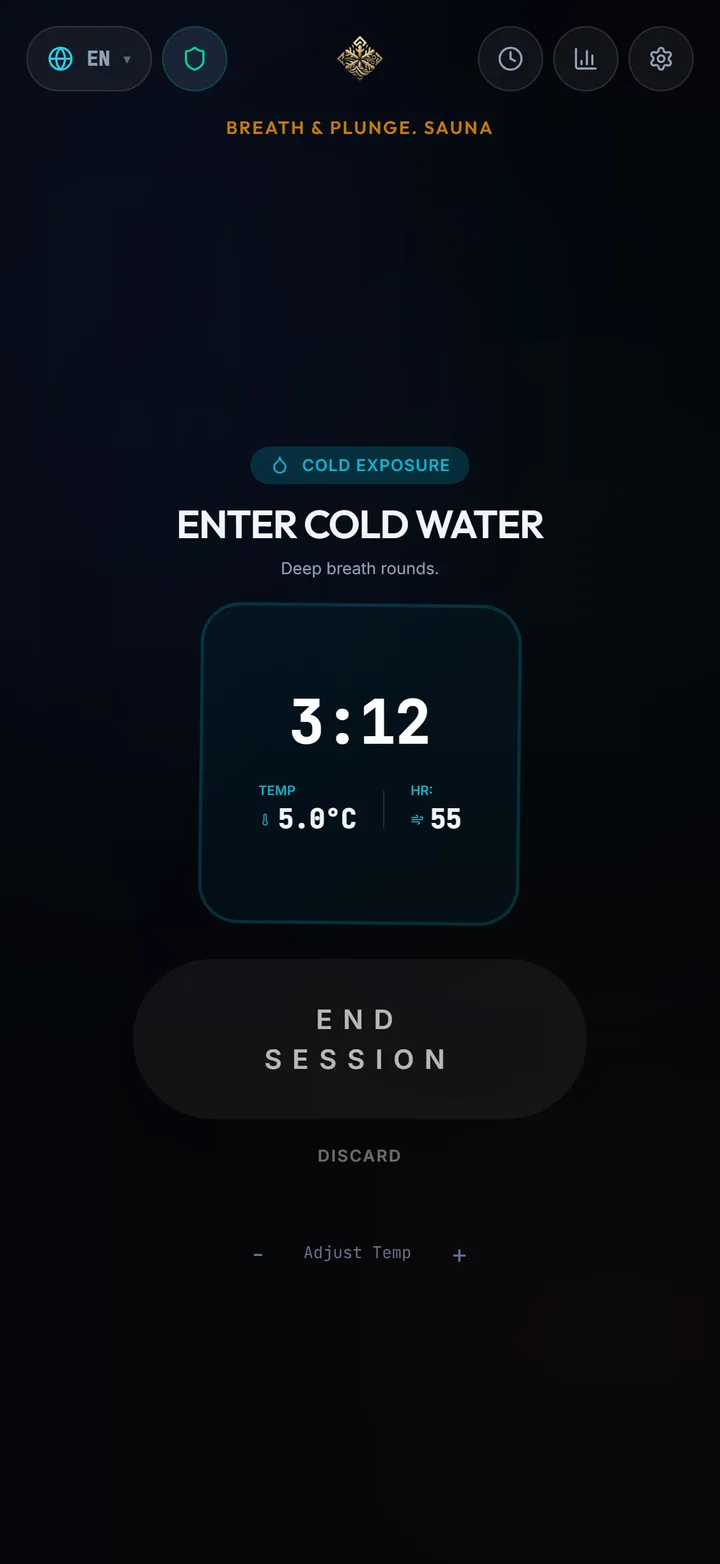
The cold plunge screen
Cold sessions start with a short entry countdown — the "Entry" timer — so you are not fumbling with a phone screen with wet hands while your body is reacting to the water.
From there the screen is a single large elapsed timer with your heart rate beside it. You can enter the water temperature for the session; it is stored with the record and feeds the minimum-temperature statistic.
- Ice Plunge Time
- Elapsed time in the water, counting up.
- Water Temperature
- The temperature you entered, in °C or °F depending on your unit setting.
- Min Water Temp
- The coldest water you have logged, tracked across sessions.
- Min Heart Rate
- The lowest heart rate reached during the exposure, when a Garmin watch is linked.
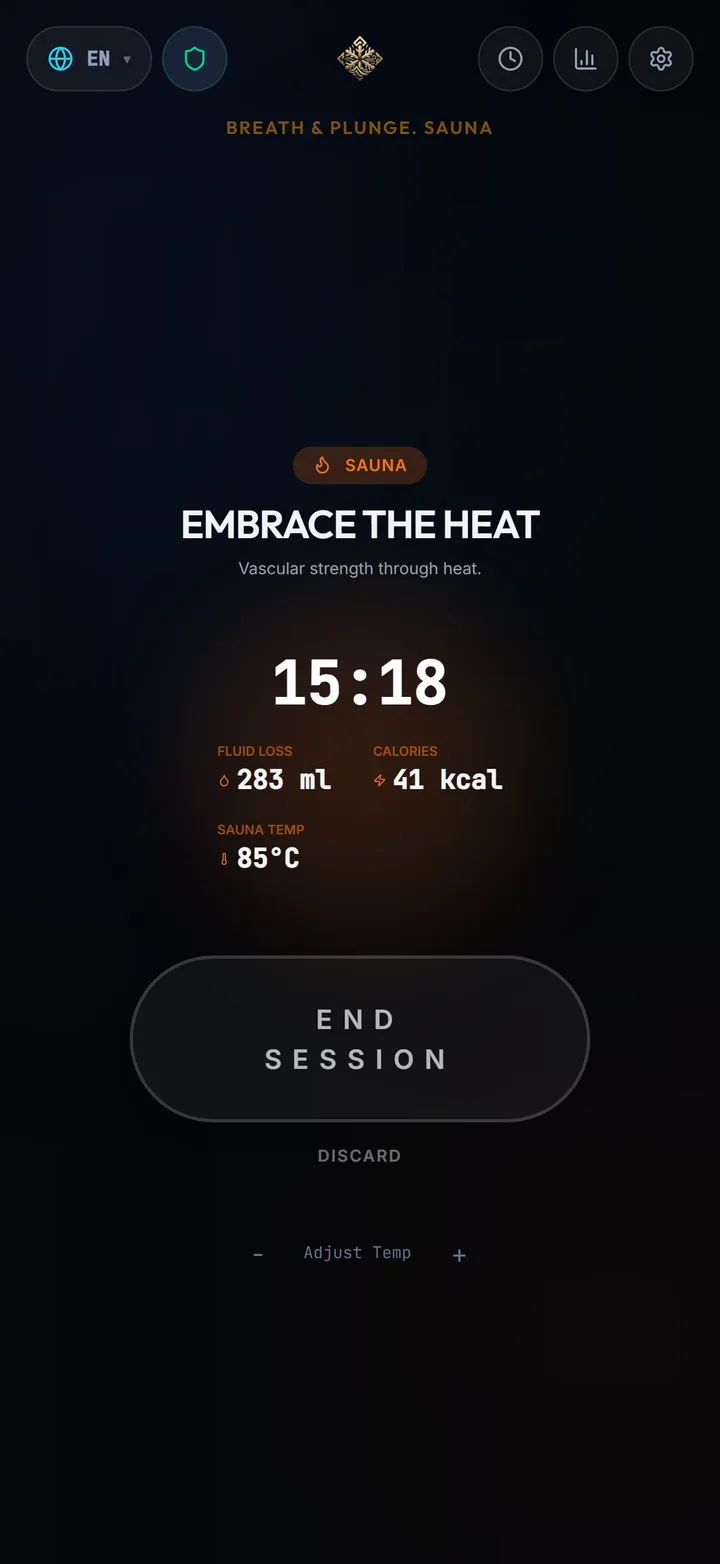
The sauna screen
Sauna sessions run against a target duration you set in advance — 15 minutes by default — and record the maximum temperature you were exposed to.
Two derived numbers are estimated from the session and the body profile you entered: fluid loss in millilitres and calories. These are estimates, not measurements; they exist so you can compare a long session against a short one and remember to drink.
- Time in Sauna
- Elapsed heat exposure against your target.
- Max Temp
- The highest temperature logged for the session.
- Fluid Loss
- Estimated in ml from duration, temperature and your body profile.
- Sauna Calories
- Estimated energy cost of the heat exposure, in kcal.
Everything you can change
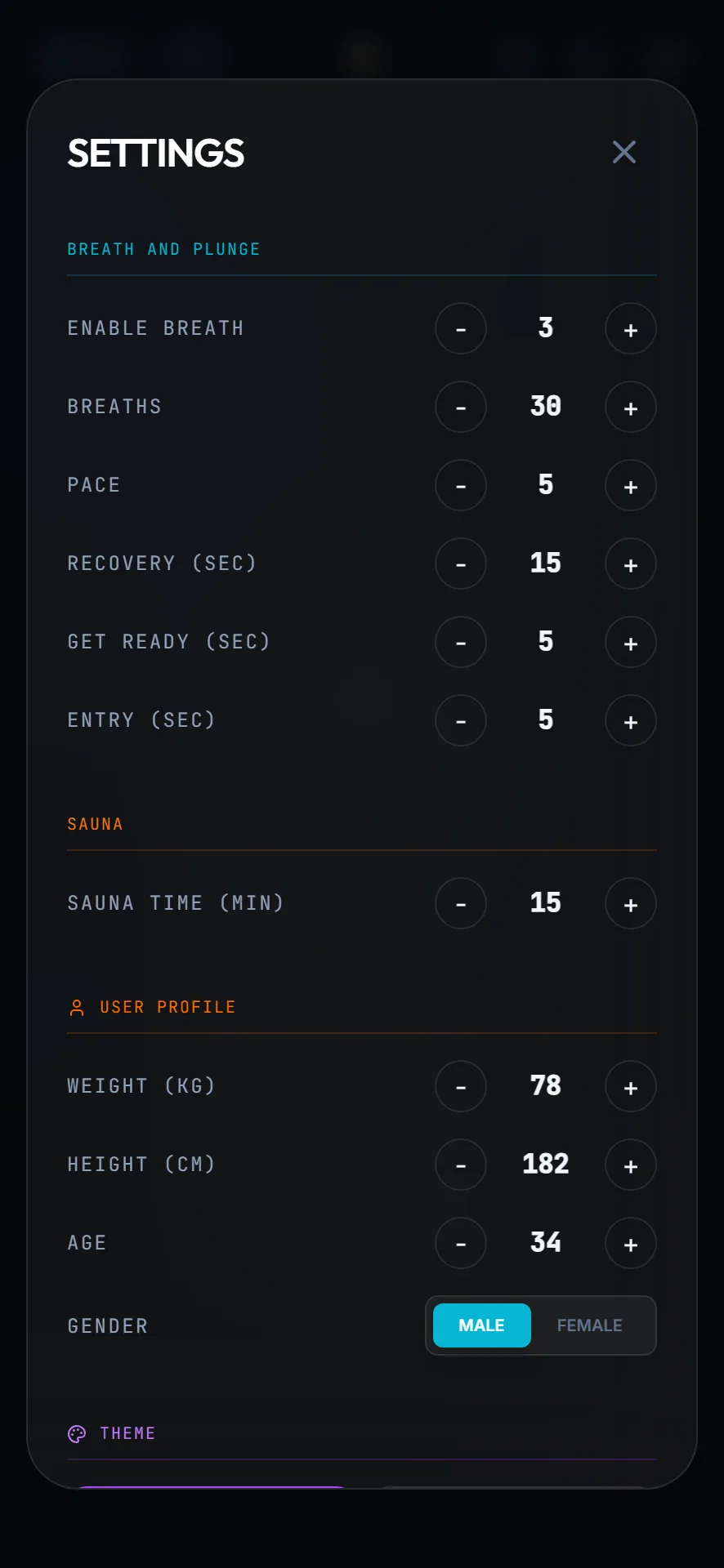
The app ships with a working configuration, so nothing here has to be touched before your first session. The defaults are 3 rounds of 30 breaths at a 5-second pace, a 15-second recovery hold, 5 seconds of preparation before the session and again before the water, and a 15-minute sauna target.
One screen holds all of it, grouped into the protocol, your body profile, and how the app behaves.
- Breath and Plunge
- Rounds, breaths per round, Pace (one full breath in and out, 5 seconds by default), the recovery hold, and the Get Ready and Entry countdowns.
- Sauna
- The target sauna duration in minutes.
- User Profile
- Weight, height, age and gender — used only on the device, to estimate fluid loss and calories.
- App
- Theme, Visual Style (Circle or Ring), Sound, Vibration, Touch Screen, Temperature Unit and Language.
- Backup
- Export your data to a file and import it back — the way to move your history to a new phone.
The summary and the shareable card
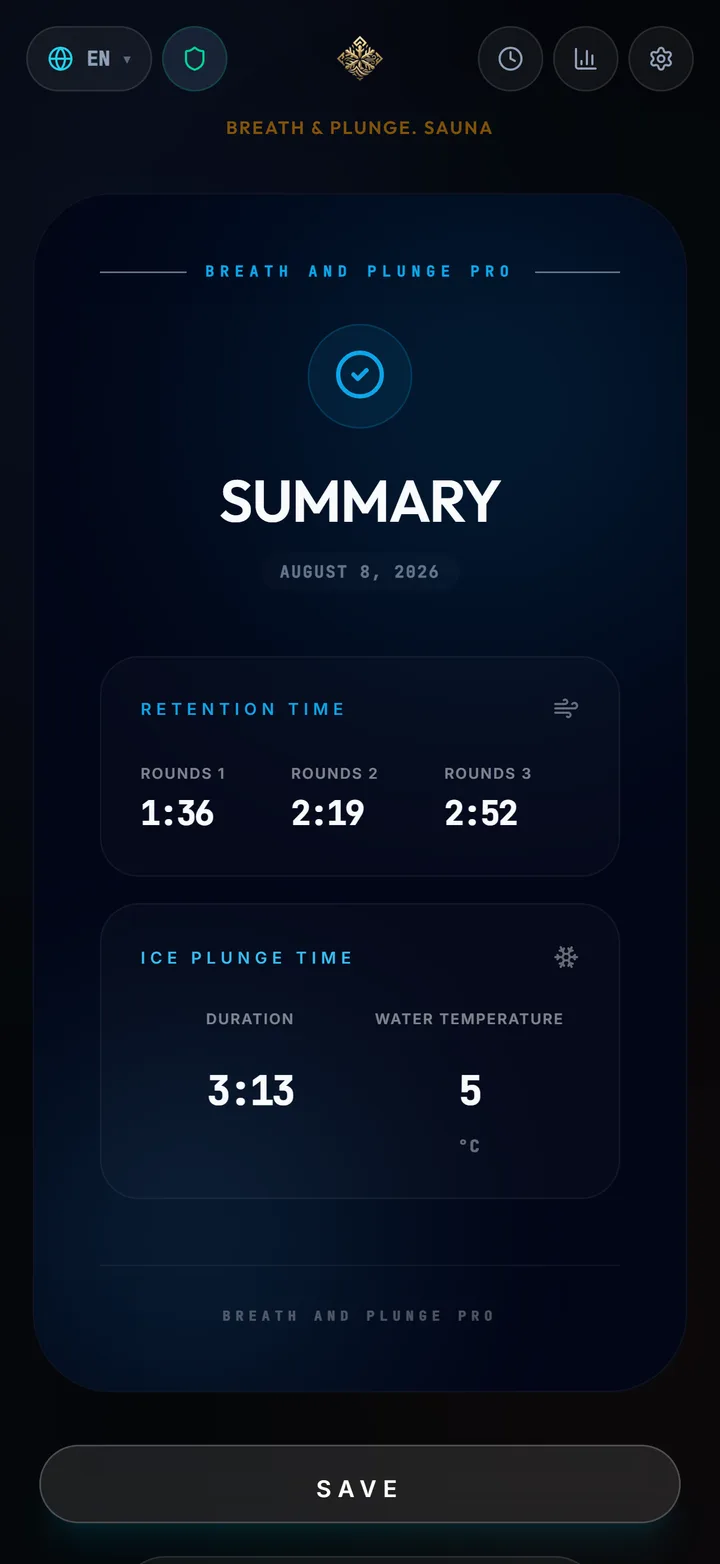
When a session ends the app builds a summary before saving anything: round-by-round holds, HR drop per round, time in the water, minimum temperature, sauna time and the estimated numbers. You confirm whether it goes into your history — a session you abandoned halfway does not have to pollute your log.
The same summary can be rendered as a card image and saved or shared. It is generated on the device from the session you just finished; nothing is uploaded to produce it.
History and statistics
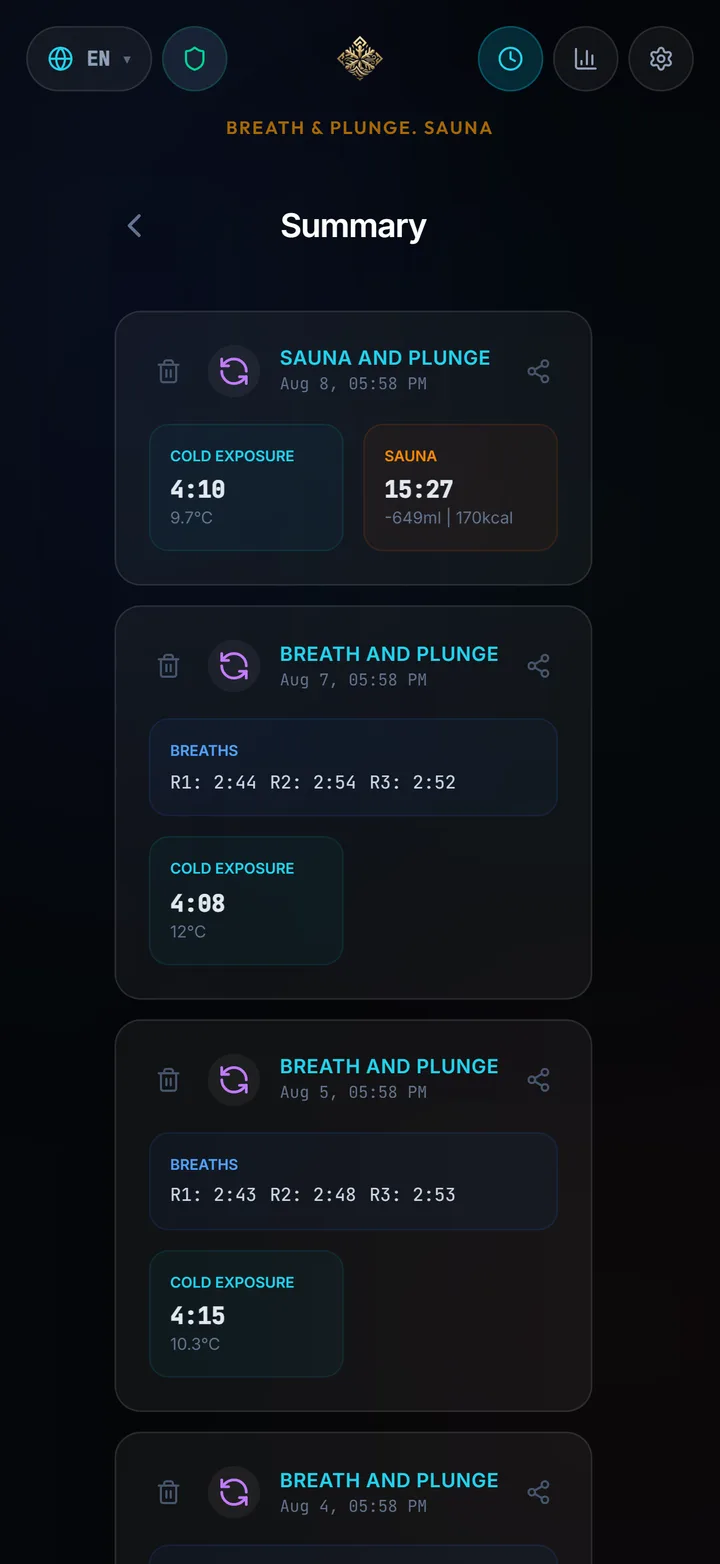
History is the flat list: every saved session, newest first, each one openable to see the detail it was saved with, and individually deletable.
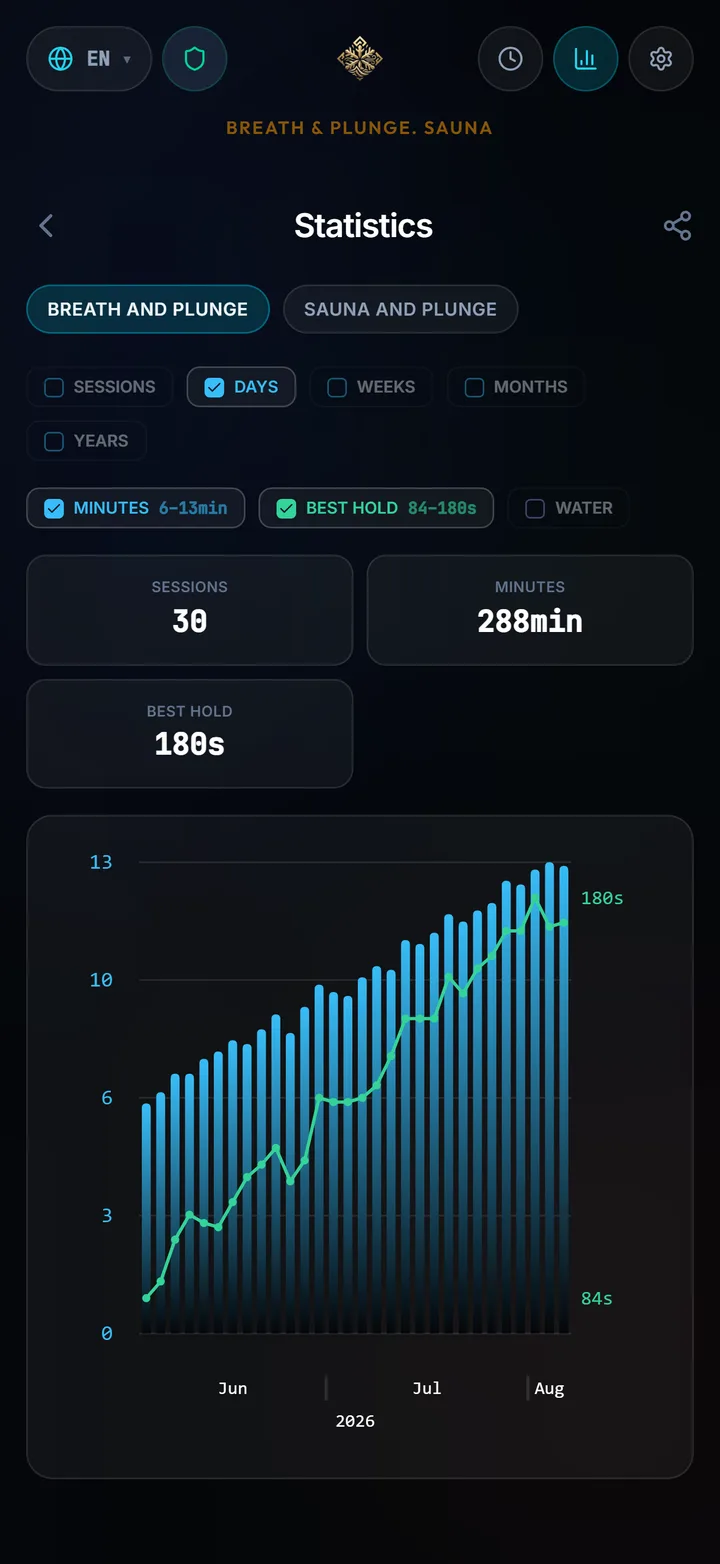
Statistics is the aggregate view, and it is the reason to keep logging. Sessions, total minutes, best retention hold, coldest water, sauna temperature, estimated water loss and calories — grouped by days, weeks, months or years, so a practice that felt inconsistent usually turns out not to be.
- Best hold
- Your longest retention, so progress is visible without scrolling the log.
- Minutes
- Total practice time across the period you selected.
- Sessions
- How many, plus totals, averages and personal bests for each metric.
- Water & Calories
- Accumulated estimates from your sauna sessions.
Offline by construction
The app has no account and no sign-in. Session history, your body profile and every preference are stored locally on the device, and there is no server for them to be sent to — which is also why the Backup export exists: it is the only copy mechanism.
That design has one consequence worth knowing before you start: uninstalling the app, or clearing its data, removes your history. Export before you switch phones.
Languages and platforms
The interface is fully translated into 16 languages, chosen from the settings screen rather than taken from your phone locale, so you can practise in one language and read your phone in another.
Breath & Plunge is on Google Play and on the App Store. There is also a Breath & Plunge app for Garmin watches in the Connect IQ store, and since version 2.0 the two work together: sessions recorded on the watch arrive in the phone app on their own, and the watch streams heart rate and water temperature to the app while a session is running. That link needs the PRO watch app — the Lite watch app does not have it.
Questions people actually ask
Does Breath & Plunge work without an internet connection?
Yes. Every session runs offline and all data is stored on the device. A connection is only needed for the subscription check the store performs.
Where is my session history stored?
Locally on your phone. There is no account and no cloud sync, so history is not transferred between devices automatically — use the Export and Import options in Settings to move it.
Do I need a heart-rate strap or a watch?
For heart rate, yes. The phone has no heart-rate sensor, so those values come only from a linked Garmin watch running the PRO app — without one the field stays empty rather than showing a guess. Timers, counters, summaries and statistics all work on the phone alone.
Can I turn off the sound during a session?
Yes. Sound and vibration are separate switches in Settings, so you can practise silently with haptic cues only, or with neither.
How much does the app cost?
It is a subscription with monthly and yearly plans, and both start with a 14-day free trial. Current pricing is shown on the store page.
Get the app
Available on the App Store and Google Play. Both monthly and yearly plans start with a 14-day free trial.
Read the step-by-step guide
Prefer to be walked through your first session in order — settings, breathing, cold, summary? Start there instead.
Read Full Article