Cold Exposure · Wearable Tracking · Garmin · Practical Guide
Does Garmin Track Cold Plunges? A Complete Guide to Logging Cold Exposure on Your Watch
If you own a Garmin watch and you have started taking cold plunges, you have probably already gone looking for the activity type — scrolled the list past Open Water Swim, past Breathwork, past Yoga and Pilates and Snowshoeing — and found nothing. There is no Cold Plunge profile. There is no Ice Bath. As of 2026, across the entire Garmin activity library, deliberate cold exposure simply does not exist as a native category.
This is a genuine gap, and it produces a genuine problem. Cold exposure is one of the few health practices where the physiological response is dramatic, immediate, and highly individual — exactly the sort of thing wearable data is good at capturing. Yet most people plunging regularly are logging nothing at all, or logging it in a way that quietly corrupts their recovery metrics for the rest of the day.
This guide covers what your watch physically can and cannot measure during a cold plunge, the three practical ways to log one, and how to avoid the most common mistake — which is accidentally teaching your watch that an ice bath was a hard training session.
The Short Answer
No, Garmin does not track cold plunges natively. You can log them using a custom activity profile, a Connect IQ app, or a manual Connect entry. Wrist heart rate becomes unreliable the moment your arm enters cold water — for physical reasons covered below — so if the heart rate data matters to you, a chest strap is not optional. And on several current Garmin models, water below roughly 8°C has been documented to cause the watch itself to crash or restart.
What Your Watch Can Actually Measure in Cold Water
Before choosing a logging method, it helps to be precise about what is physically available. A Garmin watch in an ice bath is operating in close to the worst conditions its sensor suite was designed for: submerged, static, and against skin that is actively shutting down its own blood supply.
Elapsed time
The single most useful metric. Duration is what the research doses on.
Water temperature
Only on models with a thermometer, and it needs several minutes to equilibrate.
Wrist heart rate
Vasoconstriction collapses the optical signal. See the dedicated article on this.
Chest strap heart rate
ANT+ does not transmit through water; data is stored and synced on exit.
HRV (real-time)
Garmin HRV Status is an overnight-only metric. Nothing logs during the plunge.
Skin / wrist temperature
An overnight-oriented sensor on newer models; useful for trend, not session-level precision.
Respiration rate
Derived from the same optical or strap signal, so it degrades with the source data.
Body Battery impact
Cold registers as physiological stress. This is the metric most often misread.
The headline point in that table is wrist heart rate, and it deserves emphasis because it is the source of most of the bad data people collect. Wrist-based optical heart rate works by shining green light into the skin and measuring how much is absorbed by pulsing blood in the capillaries beneath — a technique called photoplethysmography, or PPG. Cold-water immersion triggers immediate peripheral vasoconstriction: the body deliberately withdraws blood from the extremities to protect core temperature. The wrist is, from the body’s perspective, expendable. From the sensor’s perspective, the signal it depends on has just been switched off.
The Hardware Warning Nobody Mentions
Before you put a several-hundred-euro watch into ice water, there is a practical issue worth knowing about. Beginning in late 2024, Garmin Fenix 8 AMOLED owners began reporting on Garmin’s own forums and on Reddit that their watches were shutting down or restarting during cold-water immersion. The reported failure window was water between roughly 6°C and 13°C — which is to say, the exact temperature range in which cold plunging is normally practised.
The issue is notable because Garmin’s own documentation for the Fenix 8 lists an underwater operating range of 0°C to 40°C, and the watch is marketed as dive-certified to 40 metres. The reported crashes appear to be temporary rather than permanent — no user reported a bricked device — but if you are relying on the watch to time a session, a mid-plunge restart is more than a nuisance.
There is a related and better-documented quirk affecting cold-water swimmers more broadly: GPS signal loss caused by rapid thermal shock to the watch. Open-water swimmers on Garmin’s forums have described a consistent pattern in which GPS drops out roughly two minutes into a cold swim, and have developed a workaround — pre-cooling the watch in the water for two minutes before starting the activity, so that the device equilibrates to water temperature before it needs to hold a satellite lock.
Practical note: if you plunge in water below 10°C and your watch has crashed on you before, the safest approach is to leave the watch outside the tub, running as a timer, and wear a chest strap for heart rate. You lose nothing meaningful — wrist HR in cold water was never going to be trustworthy anyway.
Method 1: The Custom Activity Profile
This is the approach most experienced Garmin users land on, and for good reason: it produces a real activity entry with a real duration, it appears in your Connect history, and it costs nothing. Most modern Garmin watches allow you to create a custom activity profile based on an existing template.
Step 1 — Add a profile
Scroll to the bottom of the activity list and choose a base activity to copy. Breathwork or Yoga are the usual recommendations because they carry a low assumed intensity and will not inflate your training load.
Step 2 — Rename it
The name is what will appear in Garmin Connect and in any third-party export, so pick something you will still recognise in two years of history.
Step 3 — Configure the screens
For a cold plunge the useful fields are elapsed timer, heart rate if using a strap, and temperature if your model supports it. Everything else is noise.
Step 4 — Disable auto features
Cold plunging involves no movement, and movement-triggered features will behave unpredictably.
Step 5 — Enable water lock
This prevents the touchscreen from registering water contact as input — which otherwise regularly ends the activity for you.
The limitation of this method is that a copied profile inherits its parent’s assumptions about what the activity means. A cold plunge logged as a Yoga session will still be interpreted by Garmin’s algorithms as light physical activity, and will still make a small contribution to your daily training load and Body Battery drain. For most people that is acceptable. For anyone carefully managing training load around a race block, it is worth knowing about.
Method 2: A Connect IQ App
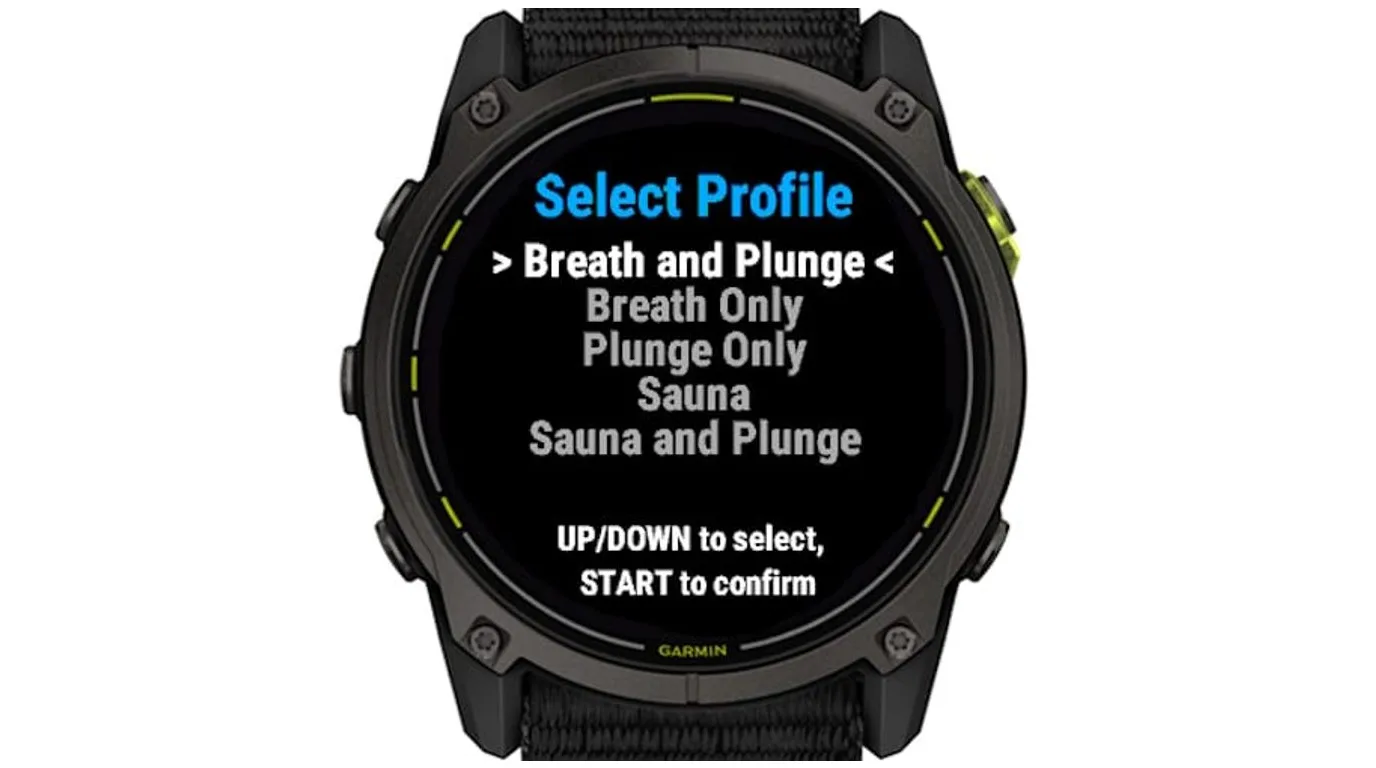
The second option is a purpose-built Connect IQ app. The advantage over a copied profile is that a dedicated app can be designed around what a cold session actually involves: a countdown rather than a stopwatch, round-based structure for contrast protocols, session history that accumulates against a weekly target, and — critically — a screen you can read when your hands are too cold to operate a touchscreen.
This is the category our own Breath & Plunge app sits in, so treat the recommendation with appropriate scepticism and evaluate the alternatives in the Connect IQ store yourself. The general point stands regardless of which app you choose: cold exposure has structural features — fixed target durations, weekly cumulative minimums, alternating rounds — that a generic activity timer was never designed to represent.
The feature worth prioritising when comparing apps is weekly cumulative tracking. As covered in the contrast therapy literature, the most useful dosing framework for cold exposure is a weekly minimum rather than a per-session target. An app that tells you where you stand against that weekly figure is answering the question the research actually poses.
Method 3: Manual Entry in Garmin Connect
The lowest-friction option, and an underrated one. In Garmin Connect on web or mobile, you can add an activity manually: choose a type, set a date, duration, and a note. It takes about twenty seconds and it keeps the watch entirely out of the water.
The obvious limitation is that you get no sensor data at all. But it is worth asking honestly how much sensor data you were going to get from a two-minute static immersion in which your optical heart rate is unreliable and your HRV is not being measured. For a great many people, a log entry recording “3 minutes, 6°C, felt strong” is more useful over a season than a corrupted heart rate trace.
Custom activity profile
Captures duration, heart rate with a strap, and temperature. Best for regular practitioners who want plunges in their activity history.
Connect IQ app
Captures duration, rounds, weekly totals and heart rate. Best for structured protocols, contrast therapy and weekly-minimum tracking.
Manual Connect entry
Duration and notes only. Best for anyone plunging below 8°C, or with a crash-prone model.
No logging at all
Suits nobody. Even a note in a text file beats no record.
The Mistake Almost Everyone Makes
Here is the failure mode worth guarding against. Cold-water immersion produces a substantial sympathetic nervous system response: heart rate rises, catecholamines surge, and the body registers acute physiological stress. Garmin’s algorithms — which have no concept of deliberate cold exposure — read this signal exactly as they were designed to. Your Stress score spikes. Your Body Battery drops. If you have logged the session as an activity with an assumed intensity, your training load ticks upward.
None of that is a malfunction. The watch is correctly detecting real physiological stress. The problem is interpretive: a cold plunge is a hormetic stressor, meaning the acute stress response is the entire mechanism of benefit, not a cost to be minimised. A practitioner who sees Body Battery fall after a plunge and concludes the practice is harming their recovery has drawn precisely the wrong lesson from an accurate measurement.
"A cold plunge is supposed to look like stress on your watch. The acute sympathetic response is the mechanism, not the side effect. What matters is the recovery curve afterwards — not the spike during."
— On reading wearable data from hormetic stressorsThe useful signal is not the spike. It is the shape of the recovery afterwards, and the direction of your overnight HRV baseline across weeks. That is a different measurement, on a different timescale, and it is covered in detail in the companion article on tracking HRV through cold exposure.
A Practical Logging Setup That Works
Choose a temperature threshold
Above 10°C, wearing the watch in the water is usually fine. Below 8°C, consider leaving it on the side running as a timer, given the documented crash reports on some models.
Pair a chest strap
ANT+ does not transmit through water, so the strap stores data internally and syncs when you surface. You get the trace after the fact, not live — which is fine.
Log duration above all
Duration is the variable the research doses on and the one your watch measures perfectly. Everything else is supplementary.
Record temperature manually
More reliable than a wrist sensor that needs minutes to equilibrate. Note it in the activity comment field.
Review weekly, not daily
Total weekly cold minutes is the metric that maps to the research. Single sessions tell you very little.
The Bottom Line
Garmin does not track cold plunges, and there is no sign of that changing. But the gap is smaller than it first appears, because the metric that matters most — duration — is the one your watch captures flawlessly, and the metrics that fail in cold water were never going to carry much information anyway.
Set up a custom profile or install a purpose-built Connect IQ app, use a chest strap if you care about heart rate, respect the temperature limits of your particular model, and read your Body Battery drop as evidence the practice is working rather than evidence it is harming you. That combination produces a cold exposure log that will actually tell you something in six months.
SOURCES & REFERENCES
- [1] Accuracy of Optical Heart Rate Measurements for 10 Commercial Wearables in Different Climate Conditions and Activities: Instrument Validation Study. JMIR Formative Research, 2026. formative.jmir.org/2026/1/e85186 ↗
- [2] Garmin Fenix 8 users are reporting the Fenix 8 crashing during cold water plunges. TechRadar, 2024. techradar.com — Fenix 8 cold water reports ↗
- [3] GPS signal lost during Open Water Swim in cold water. Garmin Forums, fēnix 6 Series. forums.garmin.com — cold water GPS thread ↗
- [4] Frequently Asked Questions About Wrist Heart Rate While Swimming. Garmin Customer Support. support.garmin.com — wrist HR while swimming ↗
- [5] Søeberg S. et al. (2021). Altered brown fat thermoregulation and enhanced cold-induced thermogenesis in young, healthy, winter-swimming men. Cell Reports Medicine, 2(10), 100408. PubMed 34755128 ↗
- [6] Cain T., Brinsley J., Bennett H., Nelson M., Maher C., Singh B. (2025). Effects of cold-water immersion on health and wellbeing: A systematic review and meta-analysis. PLOS ONE, 20(1), e0317615. PLOS ONE — CWI meta-analysis (N=3,177) ↗